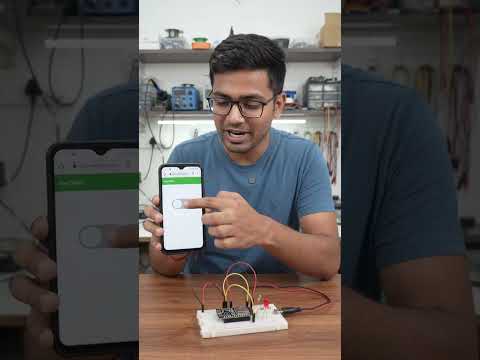
Have you ever wanted to build your own smart home devices or control physical electronics straight from your smartphone? With modern microcontrollers, transforming traditional physical setups into smart, connected devices is easier than ever. In this tutorial, we will explore how to wirelessly control smart hardware like LEDs using the powerful ESP32 chip over a local Wi-Fi network.
Why Choose the ESP32 for DIY Projects?
The ESP32 has become the go-to microcontroller for hobbyists, engineers, and tech enthusiasts worldwide. Unlike standard Arduino boards, the ESP32 comes equipped with built-in Wi-Fi and Bluetooth capabilities at a fraction of the cost. Its impressive processing speed and flexible GPIO (General Purpose Input/Output) pins make it the perfect brain for managing interactive hardware components without complex external network modules.
How Wireless Control Works
By hosting a lightweight web server directly on the ESP32, you can create a simple web interface accessible from any mobile phone, tablet, or PC connected to the same network. When you tap a button on your mobile browser, an HTTP request is sent to the ESP32. The board processes this command instantly and alters the electrical output state of the designated pin, turning your connected LED light on or off seamlessly.
Quick Steps to Get Started
- Build the Circuit: Connect an LED and a protective resistor to one of the ESP32’s digital output pins and a ground (GND) pin.
- Flash the Code: Use the Arduino IDE to write a lightweight program that configures your Wi-Fi credentials and sets up the web server routes.
- Connect and Control: Upload the sketch, open your phone's web browser, enter the assigned local IP address, and switch your LED on and off remotely!
Final Thoughts
Mastering wireless communication opens up endless possibilities for home automation, robotics, and custom electronics. By combining basic programming with versatile smart hardware, you can easily elevate your DIY skills and automate your surroundings. Grab an ESP32 board today and start building your very own wireless automation projects!


