Have you ever clicked a mouse button or launched a high-end video game and wondered what is actually happening inside that plastic and metal box? To the average user, a computer can seem like a mysterious "black box" that magically performs tasks. However, understanding the intricate world of computer hardware is the first step toward becoming a more tech-savvy user and making informed decisions when it comes time to upgrade or repair your device.
The Brain: Central Processing Unit (CPU)
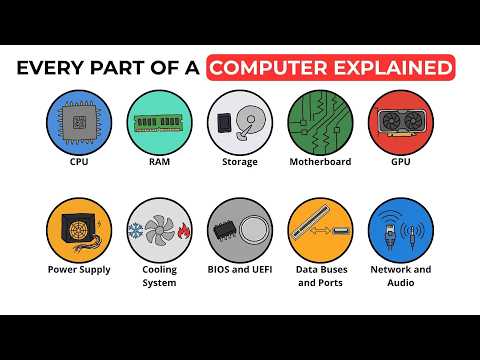
Often referred to as the "brain" of the computer, the CPU is responsible for executing instructions. Every time you open a file or move your cursor, the CPU performs complex calculations to make it happen. The faster your processor, the more quickly your computer can think and multitask.
The Short-Term Memory: RAM
Random Access Memory, or RAM, acts as the computer's short-term memory. It stores the data that your computer is actively using so it can be accessed almost instantly. If you find your computer slowing down when you have too many browser tabs open, you likely need more of this essential hardware to handle the workload.
The Library: Storage (SSD vs. HDD)
While RAM is for short-term tasks, your storage drive is the "library" where all your files, photos, and software live permanently. Modern Solid State Drives (SSDs) are significantly faster than older Hard Disk Drives (HDDs), drastically reducing the time it takes for your computer to turn on and load applications.
The Artist: Graphics Processing Unit (GPU)
If you are a gamer or a video editor, the GPU is your best friend. This component is specialized for rendering images, animations, and video. While some CPUs have basic graphics built-in, a dedicated graphics card is necessary for anyone looking to push their visual experience to the limit.
The Backbone: The Motherboard
The motherboard is the foundation that holds everything together. It is a large circuit board that allows all the other components—the CPU, RAM, and storage—to communicate with one another. Without a high-quality motherboard, even the most powerful hardware would be unable to function as a cohesive system.
By understanding how these parts interact, you can demystify the technology you use every day. Whether you are building a custom rig or just want to know why your laptop is lagging, knowing your components is the key to a better computing experience.


