Decoding Computer Ports: A Quick Guide to Modern PC Hardware
This article provides an in-depth exploration of Hardware, covering foundational concepts, practical applications, and engineering insights.
Have you ever looked at the back or sides of your desktop or laptop and wondered what all those tiny slots and sockets actually do? With technology evolving so rapidly, keeping track of every port on your computer hardware can feel overwhelming. From transferring files and connecting peripherals to powering high-resolution displays, each port serves a specific and vital purpose.
Here is a quick breakdown of the most common computer ports so you can get the most out of your setup.
Video and Display Ports
Connecting your computer to an external monitor, TV, or projector requires a dedicated video port:
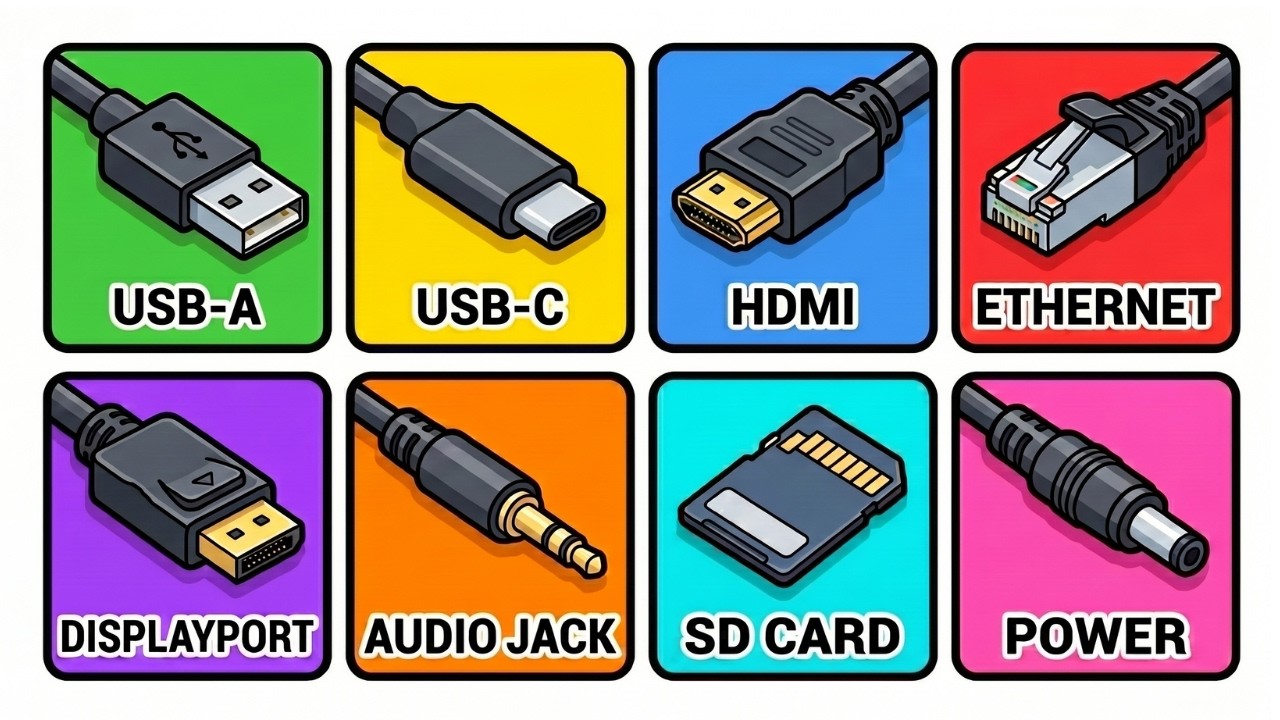
* HDMI (High-Definition Multimedia Interface): The modern standard for transmitting both high-definition audio and video over a single cable.
* DisplayPort: A favorite among gamers and tech professionals, DisplayPort supports ultra-high refresh rates and higher bandwidth than standard HDMI.
* VGA & DVI: Older legacy ports used for analog and early digital video output. While mostly phased out today, they are still found on older desktop systems.
Data Transfer and Peripheral Ports
To plug in storage drives, keyboards, and mice, these ports handle the heavy lifting:
* USB-A: The classic rectangular USB port that has been the industry standard for decades.
* USB-C: The compact, reversible connector that is rapidly replacing older ports. USB-C supports fast charging, high-speed data transfer, and video output.
* Thunderbolt: Utilizing the USB-C physical shape, Thunderbolt ports offer blazing-fast transfer speeds capable of driving multiple 4K displays and external GPUs.
Networking and Audio Ports
For reliable internet access and sound output, these connectivity options remain crucial:
* Ethernet (RJ-45): Delivers a direct, wired network connection for superior stability and speed compared to Wi-Fi.
* 3.5mm Audio Jack: The universal jack for plugging in headphones, external speakers, or headsets.
Conclusion
Understanding the various input and output ports on your computer hardware empowers you to optimize your workspace, troubleshoot connection issues, and select the right accessories. Whether you are building a custom workstation or upgrading your laptop, knowing how these connections work ensures your entire tech hardware ecosystem operates seamlessly.
Visual Insights & Illustrations


